
Drop AI Image Badge
Label AI-generated images in WordPress
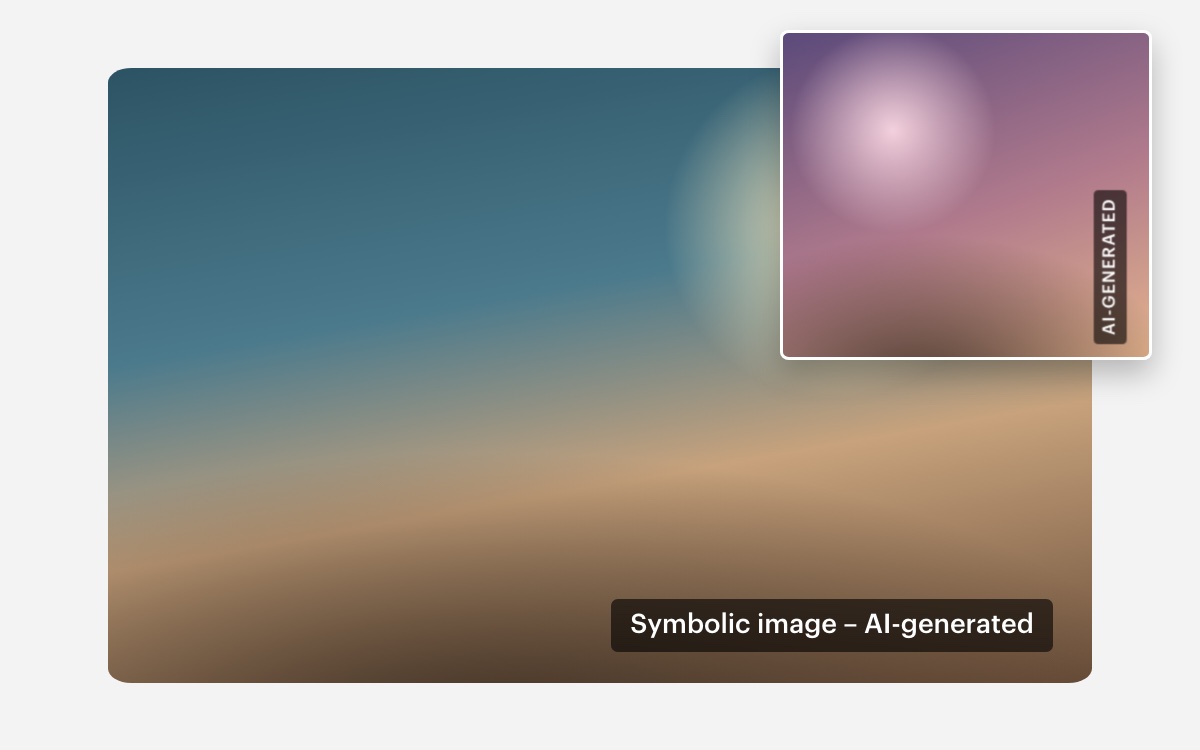
Labels AI-generated images on your WordPress site with a subtle note right on the image, for example “Symbolic image – AI-generated”. Set it up once and it runs on its own.
In short
Drop AI Image Badge is a WordPress plugin that visibly labels AI-generated images. You mark an image once in the media library or add the CSS class drop-ai-badge in Elementor – from then on, a note such as “Symbolic image – AI-generated” appears right on the image wherever it is used. The free version covers labelling, text, position and colors; Pro adds vertical orientation, per-element settings and full control over typography.
- ways to label: media library and CSS class
- 2
- CSS and JavaScript on the frontend (gzip), no jQuery
- 5.4 KB
- external services, fonts or trackers
- 0
- features in Pro, 10 of them free
- 17
Last updated:
Screenshots
How it works
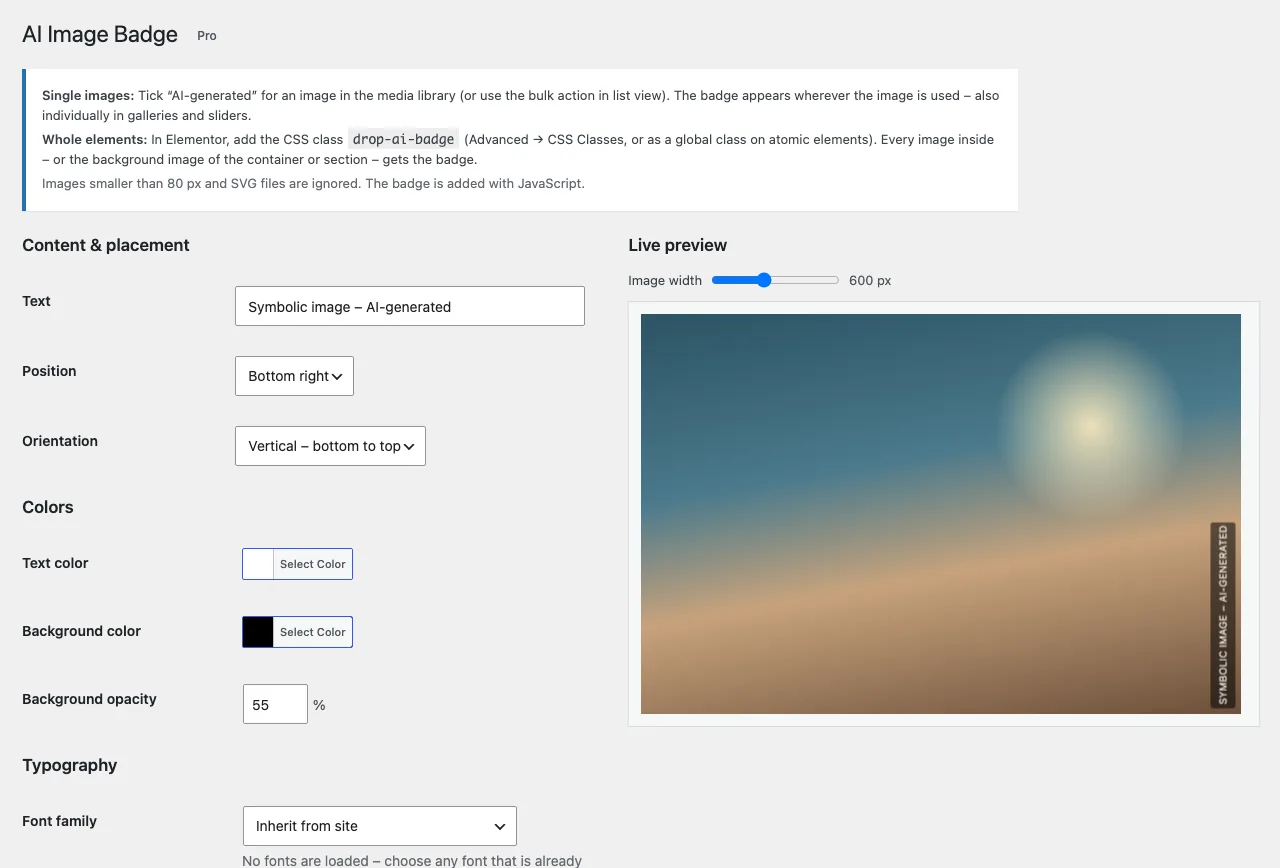
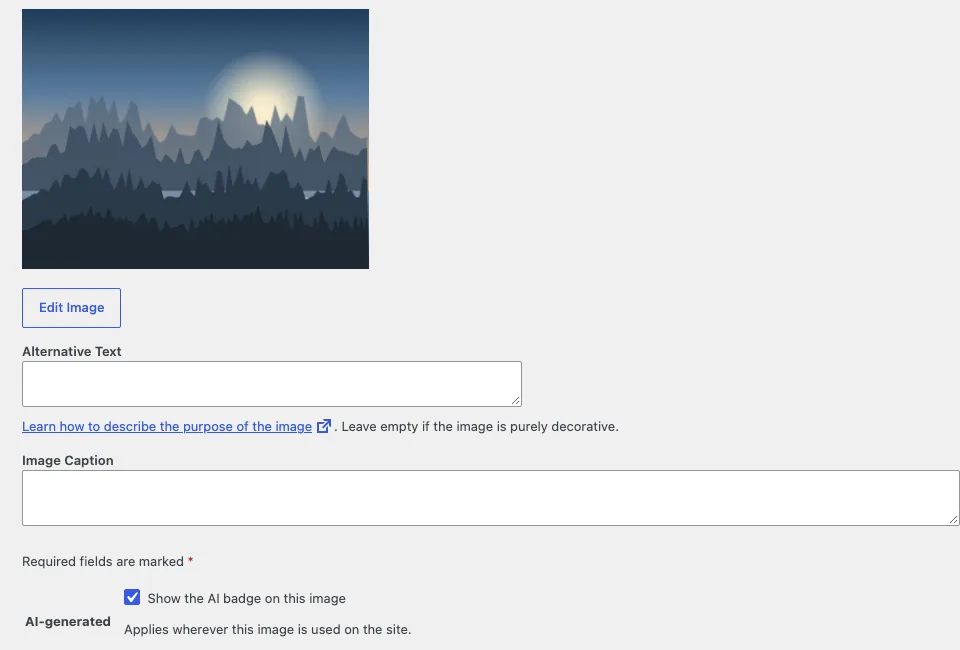
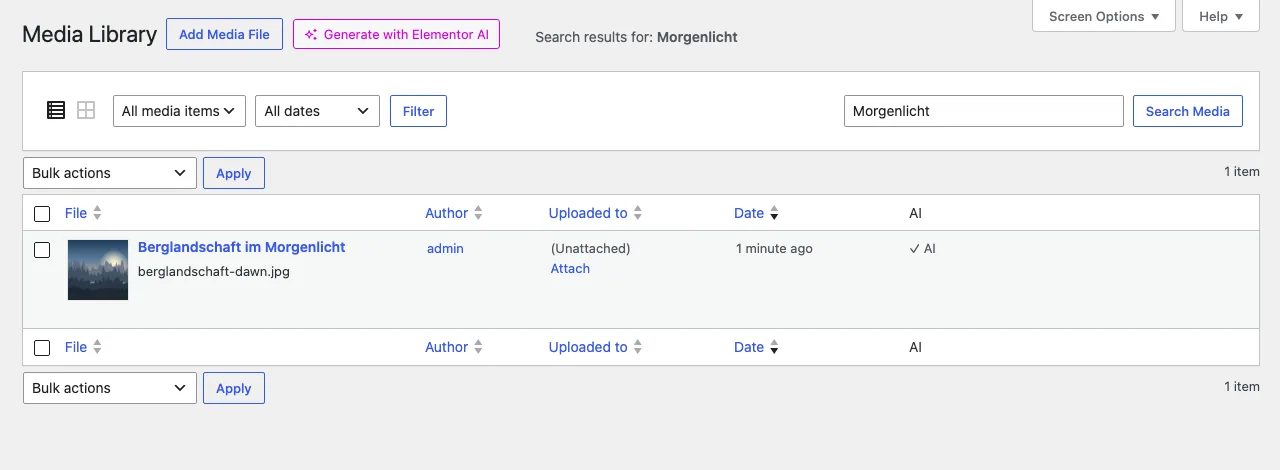
Mark single images in the media library
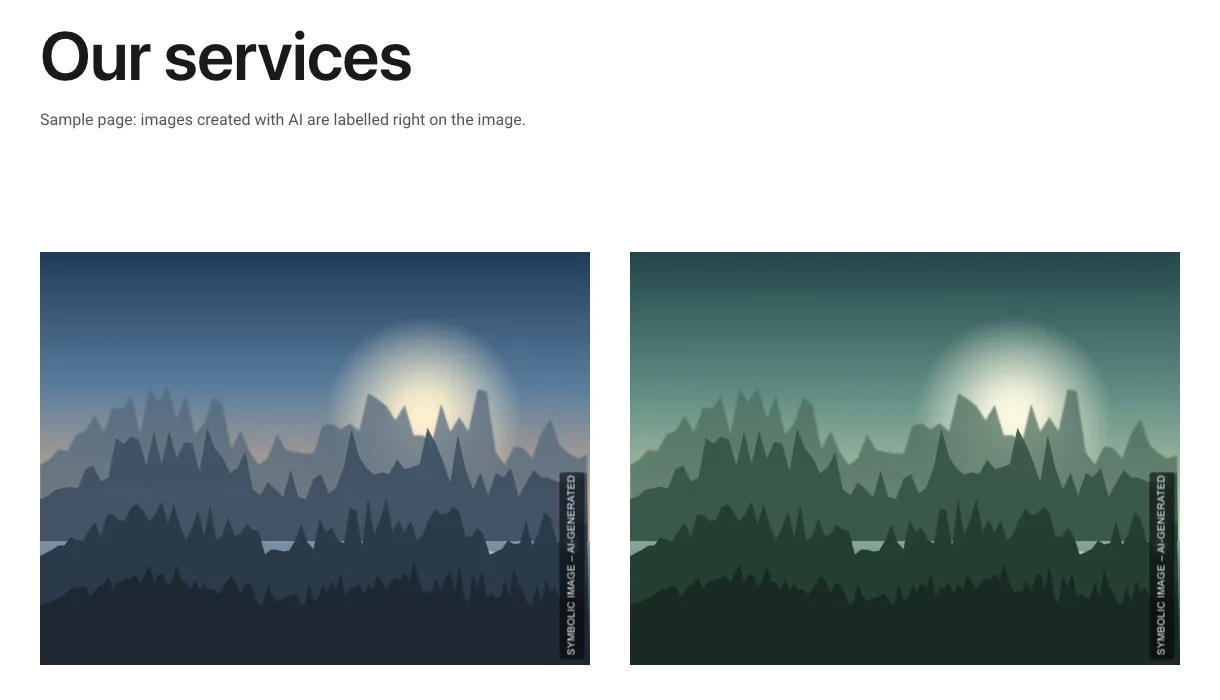
Tick “AI-generated” for an image or mark several images at once with the bulk action. The badge appears wherever the image is used: posts, pages, galleries and sliders. If an image is used in five places, it is labelled in all five.
Whole sections via CSS class
In Elementor, add the class drop-ai-badge to a widget, container or section. Every image inside gets the badge – for containers with a background image, the background is labelled.
Size adapts automatically
The text grows with the image. On a thumbnail the badge stays readable, on a large hero image it stays unobtrusive.
Free and Pro compared
| Feature | Free | Pro |
|---|---|---|
| Mark single images in the media library | ✓ | ✓ |
| Bulk action and “AI” column in the media library | ✓ | ✓ |
| CSS class for widgets, containers and sections | ✓ | ✓ |
| Background images and background slideshows | ✓ | ✓ |
| Custom badge text | ✓ | ✓ |
| Position in all four corners | ✓ | ✓ |
| Text and background color, opacity | ✓ | ✓ |
| Automatic font size based on the image size | ✓ | ✓ |
| Live preview in the settings | ✓ | ✓ |
| Vertical orientation along the image edge | – | ✓ |
| Position and orientation per element | – | ✓ |
| Exclude single sections | – | ✓ |
| Choose the font, including Elementor global fonts | – | ✓ |
| Font weight, uppercase, letter spacing | – | ✓ |
| Adjustable font size: minimum, maximum, scale | – | ✓ |
| Backdrop blur, corner radius, padding and edge distance | – | ✓ |
| Updates right in the WordPress dashboard | ✓ | ✓ |
Works with
- • Elementor: Image, Image Box, Gallery, Image Carousel
- • Elementor Pro: Gallery and Slides
- • Containers and sections with a background image or background slideshow
- • Atomic elements in Elementor 4 via global classes
- • Lazy loading, looping sliders and the Elementor editor
- • Marking images in the media library works with any theme
Privacy and performance
- • No external services, no external fonts, no tracking
- • About 5.4 KB of CSS and JavaScript on the frontend (gzip-compressed), no jQuery; Pro adds about 1.4 KB
- • Icons and images smaller than 80 px as well as SVG files are skipped
Frequently asked questions
How do I label AI-generated images in WordPress?
With Drop AI Image Badge, you mark an image as “AI-generated” in the media library. The plugin then shows a note such as “Symbolic image – AI-generated” right on the image wherever it is used. For whole sections, add the CSS class drop-ai-badge in Elementor.
Do I have to label AI-generated images on my website?
Since 2 August 2026, Article 50 of the EU AI Act (Regulation (EU) 2024/1689) applies. Under paragraph 4, deployers must disclose when image, audio or video content is an artificially generated or manipulated deep fake. Whether a purely decorative stock-style image falls under this is assessed differently. A visible label is the cautious approach. For your specific case, get legal advice.
Do I need Elementor?
No. Marking images in the media library works with any theme. The CSS class works with any page builder that lets you add your own classes.
Does the plugin slow down my website?
Hardly. On the frontend, the free version loads about 5.4 KB of CSS and JavaScript (gzip-compressed), without jQuery and without external requests. Images smaller than 80 px and SVG files are skipped.
What is the difference between Free and Pro?
Free labels images completely, with the text, position and colors of your choice. Pro adds vertical orientation, per-element settings and full control over font, size and spacing.
Sources
Pro at a glance
- • Vertical orientation along the image edge
- • Position and orientation per element
- • Exclude single sections
- • Choose the font, including Elementor global fonts
- • Font weight, uppercase, letter spacing
- • Adjustable font size: minimum, maximum, scale
- • Backdrop blur, corner radius, padding and edge distance
Current version 1.0.0 · October 30, 2026
Requirements
- WordPress 6.3 or newer, 6.5 or newer for Pro
- PHP 7.4 or newer
- Pro requires the free plugin Drop AI Image Badge
Need a plugin that fits your website exactly?
I build custom WordPress plugins and Elementor widgets.
Questions about the plugin?
Get in touch if you want to know whether the plugin fits your website, or if a feature is missing.
Get in touch