
Drop Restaurant Menu
Add your restaurant menu to WordPress as PDF or image
A plugin for restaurants, cafés and hotels: upload your menu, add the shortcode once, done. When the menu changes, you only swap the file and the page itself stays untouched.
In short
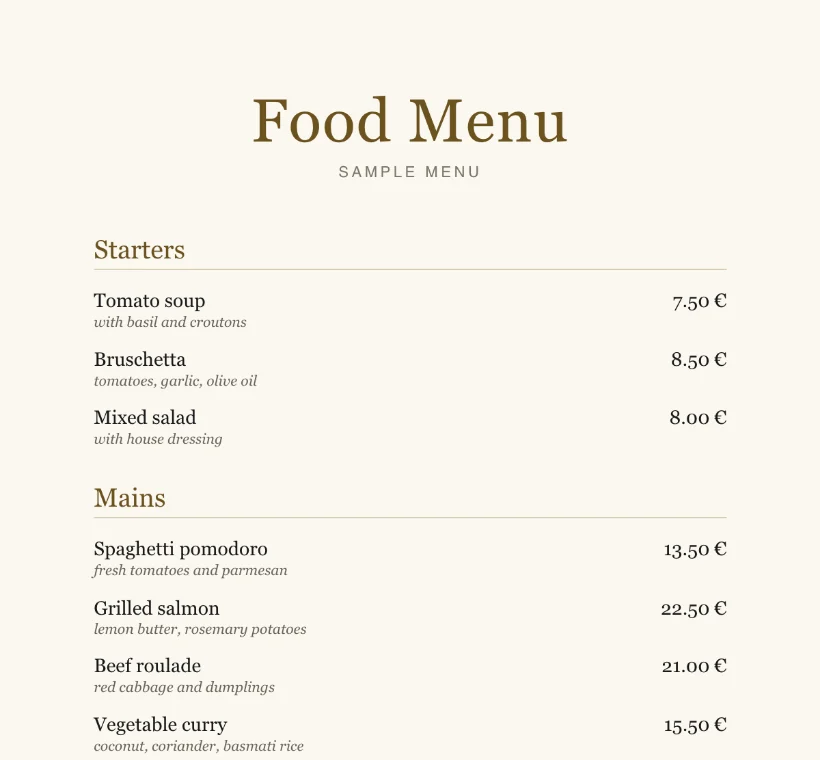
Drop Restaurant Menu is a WordPress plugin for uploading food menus, lunch menus, daily menus, a New Year's Eve menu and wine lists as PNG, JPG or PDF and adding them to any page with a shortcode. By default, PDFs display like regular images, without a PDF reader or toolbar. The plugin ships with PDF.js for this, so no connections to third-party servers are made.
- menu types, each with as many pages as you need
- 5
- file formats: PNG, JPG and PDF
- 3
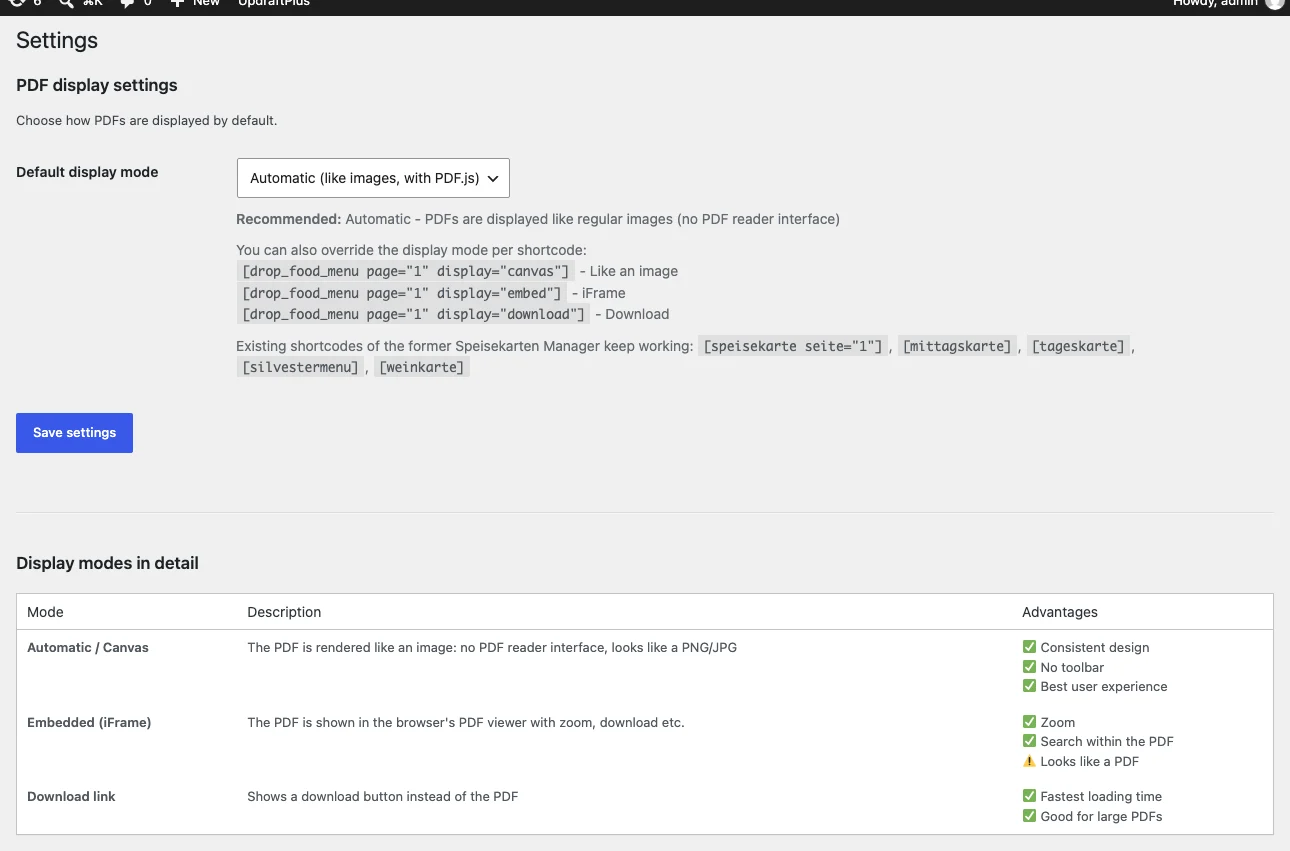
- PDF displays: as an image, in a PDF viewer or as a download
- 3
- third-party servers needed to display your menus
- 0
Last updated:
Screenshots
How it works
Upload your menu
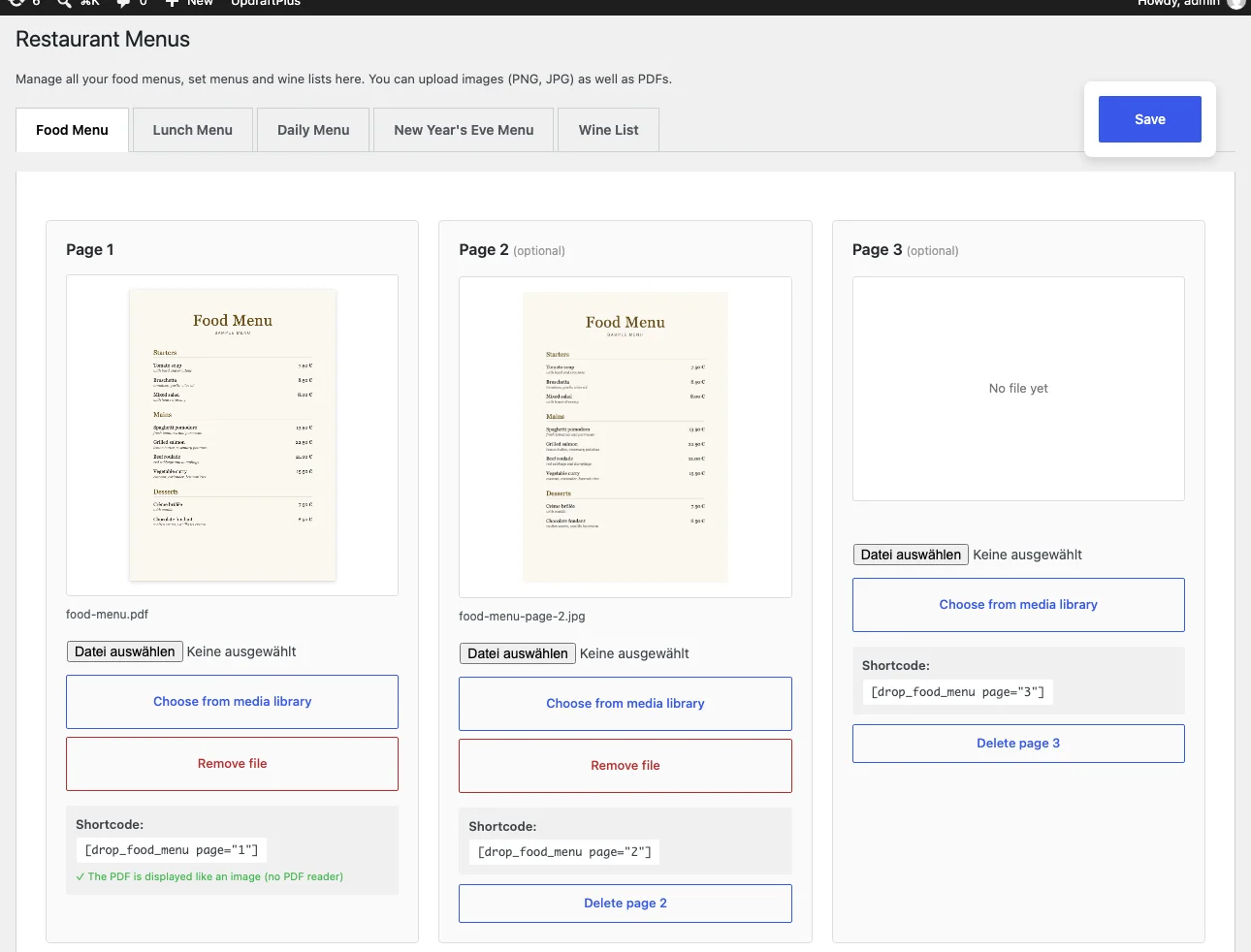
Under “Restaurant Menus”, choose the menu type and upload a PNG, JPG or PDF for each page, or pick a file from the media library. The preview shows right away what is in place, for PDFs the first page.
Add the shortcode
Every page of a menu has its own shortcode, such as [drop_food_menu page="1"]. You add it once in the WordPress editor or in Elementor's shortcode widget.
Later, just swap the file
New daily menu or new prices? Replace the file in the dashboard and save, and your website shows the new menu right away. Editors can do this without administrator rights.
Features
- • Food menu, lunch menu, daily menu, New Year's Eve menu and wine list
- • As many pages per menu as you need
- • Upload PNG, JPG and PDF or choose from the media library
- • PDFs display like images, without a PDF reader or toolbar
- • Multi-page PDFs are shown one page below the other
- • Optional PDF viewer or download button, globally or per shortcode
- • Preview in the dashboard, including PDFs
- • Copy a shortcode with one click
- • Remove a file and leave the page empty
- • Separate permissions: editors update menus, only administrators change settings
- • English interface with a German translation included
- • Updates right in the WordPress dashboard
Works with
- • WordPress editor via the shortcode block
- • Elementor via the shortcode widget, no Elementor Pro needed
- • Anywhere WordPress runs shortcodes
Privacy and performance
- • PDF.js ships with the plugin and is served from your own website, so displaying a menu connects to no third-party servers
- • No trackers and no cookies from the plugin
- • CSS only on pages with a menu, about 1.6 KB (gzip-compressed)
- • PDF.js loads only when a PDF comes near the visible area, about 380 KB (gzip-compressed). Menus as PNG or JPG do not need it
- • PDFs are drawn page by page at a resolution that suits the device
Frequently asked questions
How do I add a PDF menu to WordPress?
Upload the PDF under “Restaurant Menus” and add the shortcode shown there, such as [drop_food_menu page="1"], to the page you want. The PDF then displays like an image, with multiple pages one below the other.
Do guests see a PDF reader or have to download anything?
No. By default, the menu looks like a regular image, without a toolbar. If you prefer the browser's PDF viewer or a download button, you can switch globally or per shortcode.
How do I update the daily menu without editing the page?
Just swap the file in the dashboard and save. The shortcode stays the same and your website then shows the new menu.
Do I need Elementor?
No. The plugin works anywhere WordPress runs shortcodes, such as the WordPress editor. In Elementor, use the shortcode widget, which is part of the free version.
Will the plugin slow down my website?
Pages without a menu load nothing from the plugin. On pages with a PDF, PDF.js is only added once the PDF is scrolled near the visible area. Menus as JPG or PNG are fastest because they do not need PDF.js.
Can search engines read the text of my menu?
When displayed as an image, the text is part of the graphic and cannot be read as text by search engines or screen readers. If that matters to you, add your key dishes as text on the page as well, or offer the PDF with a download button.
Sources
At a glance
- • WordPress 5.8 or newer
- • PHP 7.4 or newer
Current version 2.5.6 · November 6, 2026
Interested in the plugin?
Drop me a line and tell me which website you need it for.
Ask about the pluginRequirements
- WordPress 5.8 or newer
- PHP 7.4 or newer
Need a plugin that fits your website exactly?
I build custom WordPress plugins and Elementor widgets.
Questions about the plugin?
Get in touch if you want to know whether the plugin fits your website, or if a feature is missing.
Get in touch